
When you click on the Environment title in a Voyage Detail page, this information is revealed:
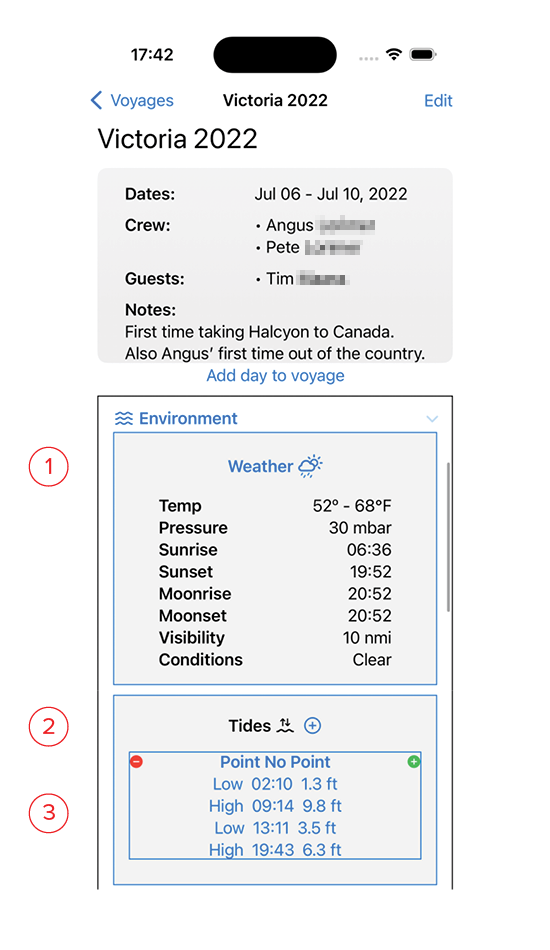
- Weather: clicking on the blue text opens the Weather Edit screen, allowing you to set the data for this day.
- Tides: Clicking on the + symbol adds another Tide Location to the day. You may have as many Tide Locations as needed.
- Clicking the green + symbol allows you to add data to a specific Tide Table. Clicking the red – symbol deletes the entire table.
- Currents: Clicking on the + symbol adds another Current Location to the day. You may have as many Current Locations as needed.
- Clicking the green + symbol allows you to add data to a specific Current Table. Clicking the red – symbol deletes the entire table.