
When you click on the green + symbol in a Current Table, this page appears:
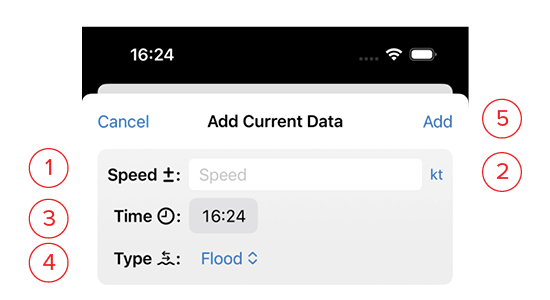
- Speed: Enter the current speed for a single entry on a current table.
- Unit: If local current tables are published in a unit other than your your customary units, you may change that here by clicking on the blue unit indicator. Choose from the following in the drop-down list: m/s, k/h, mph, knots.
- Time: Current table time for that entry
- Type: choose from Flood, Slack, or Ebb.
- Add: This button will turn blue once you’ve filled in the information. Clicking this saves it and returns you to the list.