
When you click on the Navigation, Sightings on the Water, or Explore Ashore titles in a Voyage Detail view, this information is revealed:
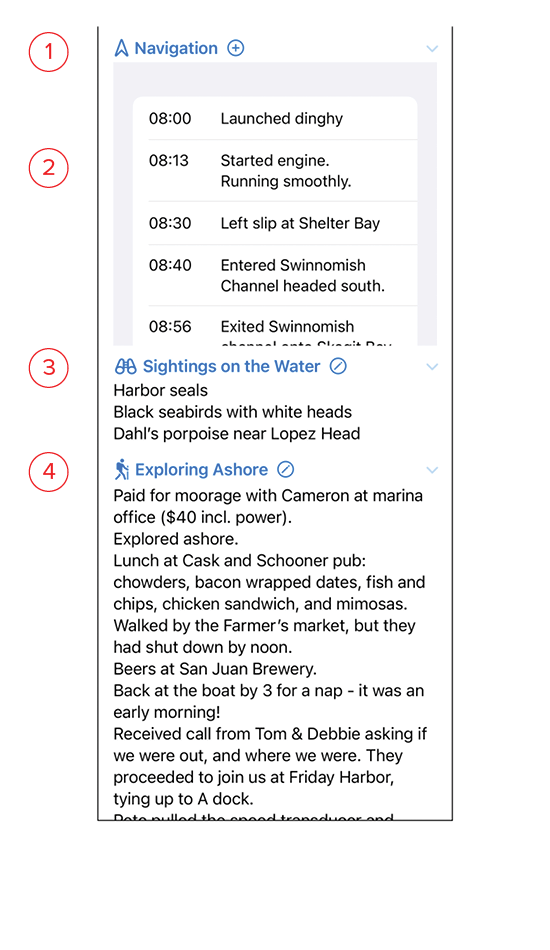
- Navigation: Clicking the + symbol opens the New Navigation screen and lets you add another log entry.
- Navigation log entries: Swiping right on an entry allows you to edit it. Swiping left deletes that entry.
- Sightings on the Water: Clicking on the pencil icon opens the Edit Sightings screen and lets you add to or edit the entry for things spotted while at sea.
- Exploring Ashore: clicking on the pencil icon opens the Edit Ashore screen and lets you add to or edit the entry for adventures ashore.