
When you click on an item in the Vessel List, this page appears:
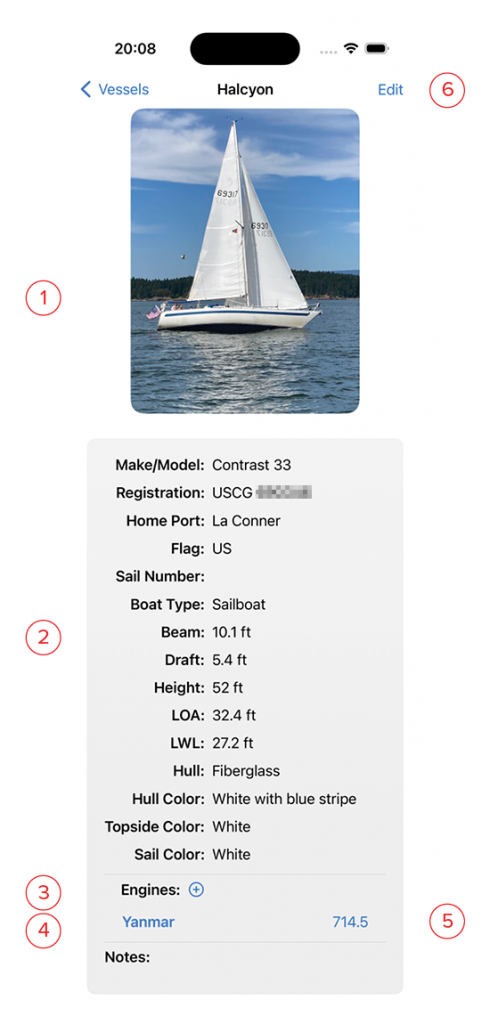
- Photo of the vessel if one was added. Tapping on the photo will enlarge the image to full screen, and allow you to zoom.
- Info: This is the information entered in the New Vessel screen. The price shown on this screen will always be converted to your home currency regardless of the currency it was purchased in.
- Engines: Clicking on the + button will add an engine to your vessel. You may also use this to add a generator, or other device that keeps track of maintenance by its own hours of use clock, such as a water maker.
- Here you will find the list of engines and other devices added to your boat. Clicking on the name brings up the details page.
- This number is the most recent indication of engine hours for this engine. It is automatically updated when you purchase fuel, or perform maintenance on this engine and record the hours. You may also click on this number to update it manually.
- Edit: Clicking this button brings up an editor screen so you can make changes to the entered data. The edit screen is identical to the New Vessel screen.