
This is a list of all the stores that you purchase inventory, supplies, and provisions for your vessel.
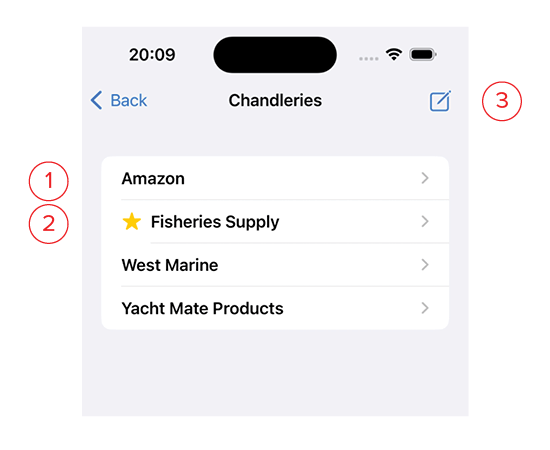
- Clicking on one will bring up the Detail Page for that chandlery. To delete a chandlery, swipe left on its name.
- A star next to a chandlery name indicates this as your favorite store, and it will be auto-filled into the chandlery field when entering new Inventory. To favorite one of your chandleries, swipe right on its name.
- Click this square with a pencil icon to add a new Chandlery to your list.