
When you click on the add new icon from the Chandlery List, this page slides up from the bottom of the screen:
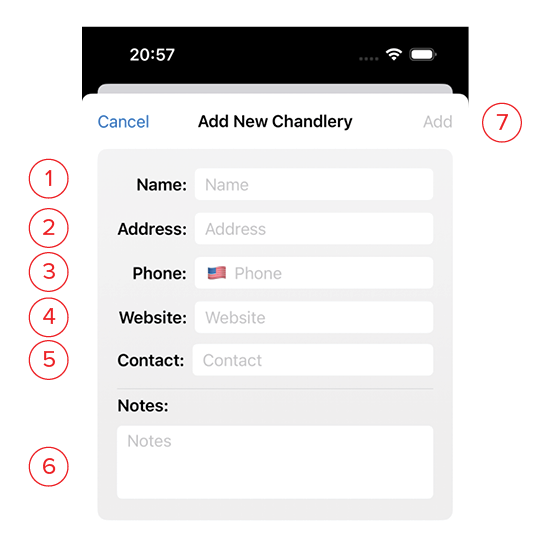
- Name: The name of the store.
- Address: The physical location for brick and mortar shops.
- Phone: The store’s phone number. Clicking the flag will change the format to match a country’s standard telephone format.
- Website: The web address for the store. This should be the complete address including https:// in order for it to become a clickable link on the details page.
- Contact: Store proprietor, or salesperson you deal with.
- Notes: Use this space for a description of the store, its hours, etc.
- Add: This button will turn blue once you’ve given the chandlery a name. Clicking this saves it and returns you to the list.