
When you click on the green + symbol in a Navigation pane of a Day view, this page appears:
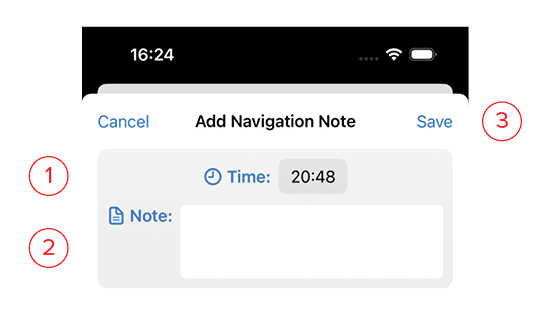
- Info: This is the current time, but may be adjusted as needed.
- Note: Enter navigational notes as needed for changes to course, waypoints met, change in weather, change of watch, sail changes, etc.
- Save: This button will turn blue once you’ve filled in the information. Clicking this saves it and returns you to the Day view